Local-first file manager · Windows

All your clouds, folded into one view.

Foldvia browses your PC and your cloud storage side by side — Google Drive, S3, R2, B2 and more — in one honest window. No account. No tracking. Zero backend in your data path.

Get it on Microsoft Store All versions & downloads v1.0.0 · free · no account required
Local-first Zero backend OS-keystore credentials 15 languages
Google Drive read-only OneDrive browse Amazon S3 Cloudflare R2 Backblaze B2 Wasabi GCS Azure Blob Foldvia Cloud
01 · Find & understand

Find any file — and see its whole story

Bringing your storage together is only the start. The point is what you can then do: reach the exact file you meant in seconds, and understand it the moment you land on it.

Find the file you actually meant

One search box reaches your whole machine and every cloud you've connected — no more guessing which folder, which drive, which account it landed in.

  • Name search across your PC and every cloud, in one placeFree
  • Full-text search inside your documents — find it by what it saysPlus
  • Similar-image finder spots near-duplicate photos by eyePlus

See a file in full context

Click any file for its X-ray — a real preview, the facts that matter, and the other files it's connected to. You never look at a file in isolation.

  • File X-ray: instant preview plus the dossier — path, type, size, datesFree
  • Related files for any file — its versions, exports and copiesFree
  • Folder relationships grouped automatically — version chains, source → outputPlus
  • Package a folder's context as JSON for an AI assistant — sensitive files held back
02 · What it does

One file experience, every cloud

Stop hopping between provider tabs. Foldvia brings your storage together so finding, moving and cleaning files feels like one place.

Unified browsing

Local folders and connected clouds in one tree — dual-pane, tabs and split panels, layout restored on restart.

Colour that reaches Explorer

Tag folders with colours to find them at a glance — and Foldvia paints the real folder in Windows Explorer too, not just inside the app.

Reclaim space, safely

Foldvia proposes reclaimable clutter with a full preview before anything happens, and keeps a rebuild record after cleanup.

Honest by design

Every operation lands in a local journal, and each cloud file shows how strongly its presence was verified — no pretending.

Credentials stay yours

OAuth tokens live in your OS secure keystore — Windows DPAPI — and are never sent to us. Disconnect any time.

No ads. No AI training.

No advertising, no behavioral tracking, no selling data, no training AI on your files. Privacy is the architecture.

03 · Straight from the app

This is the actual product

Straight from Foldvia v1.0 — the same calm, spring-fresh interface you'll use every day.

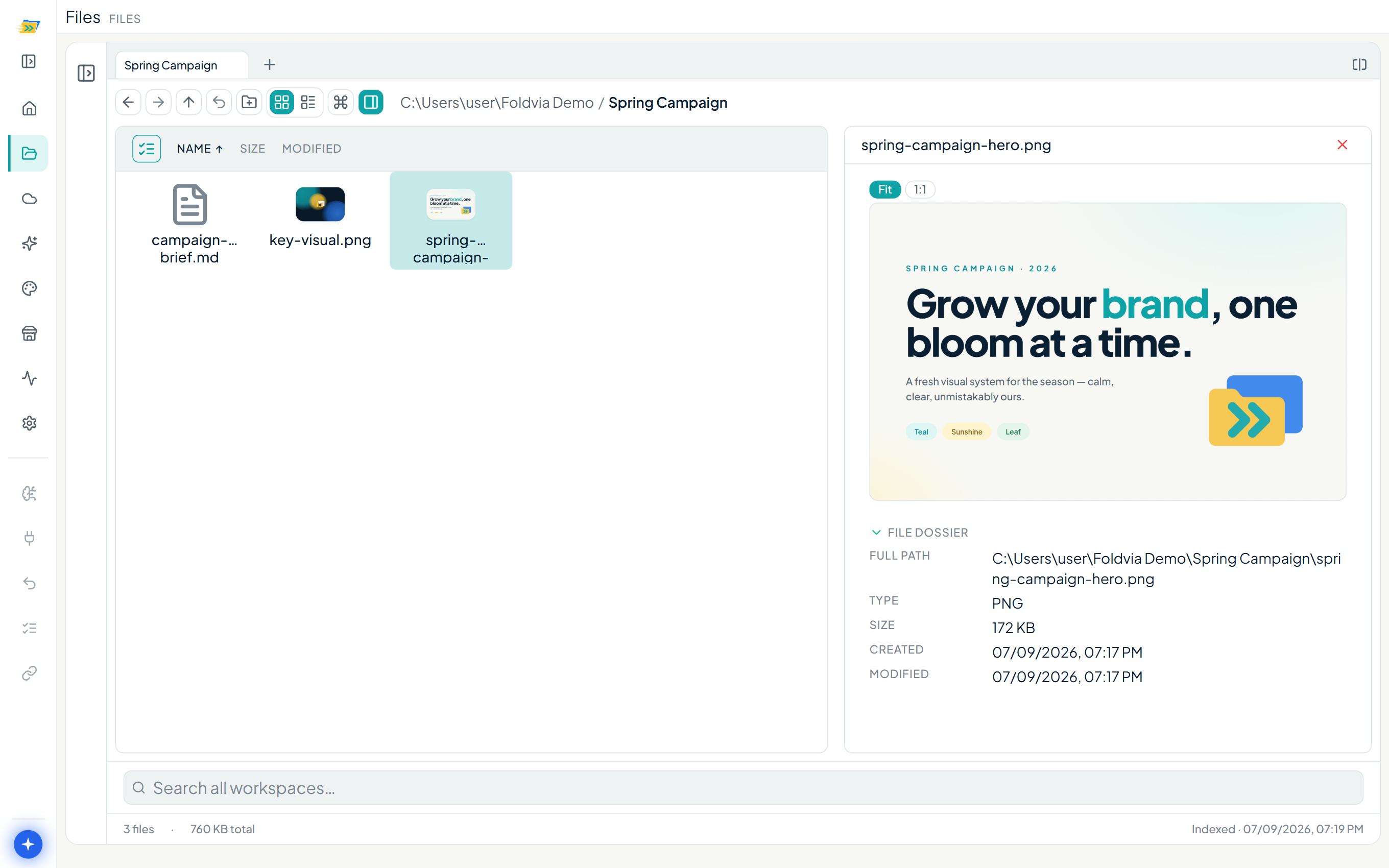
Foldvia's file browser with the File X-ray inspector open on a PNG. The left grid shows thumbnails; the right panel previews the full image and lists its dossier — full path, type, size, created and modified dates.
File X-ray — click any file to see inside it: a full preview plus the facts that matter — path, type, size, and dates.
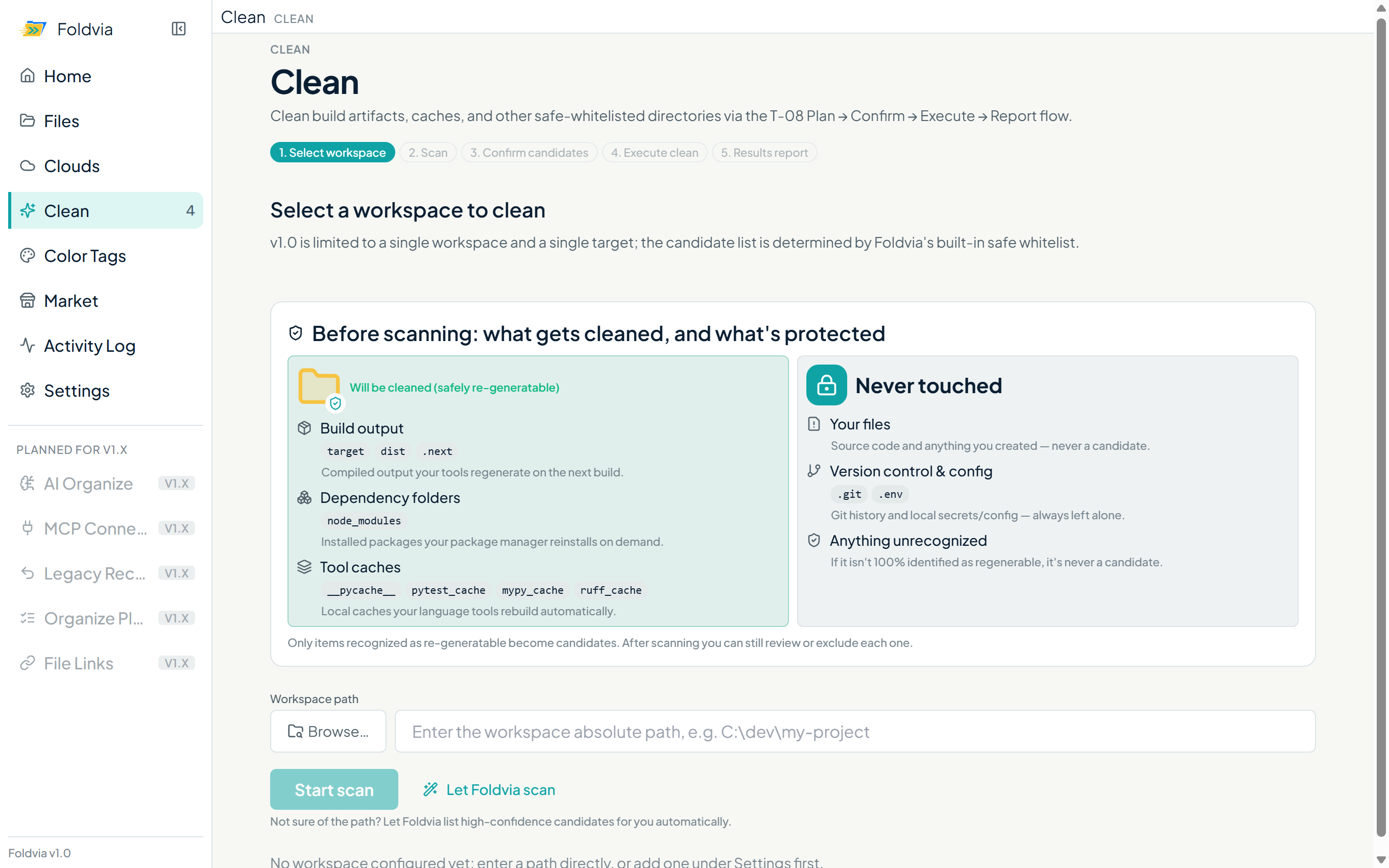
Foldvia's Clean module. Before a scan it explains what will be cleaned — build outputs, dependency folders, tool caches — and what it never touches: your files, version control and anything unconfirmed.
Clean — every candidate previewed, and a "never touch" contract before anything runs.
04 · How it works

Your device talks to your cloud. Nobody else.

Your deviceFoldvia desktop app
Your cloudDrive, S3, R2, …

There is no Foldvia server in this path. Your files, metadata and tokens are never relayed through, processed by, or stored on our infrastructure.

05 · More from foldvia.com

Foldvia Cloud

First-party storage with a web portal — reach your nest from any browser. Doesn't use a connector slot. Arriving with paid plans after the Early Access launch.

Open Foldvia Cloud ↗

Release vault

Every Foldvia version, kept and checksummed. Download current or past builds, verify signatures.

Browse all versions